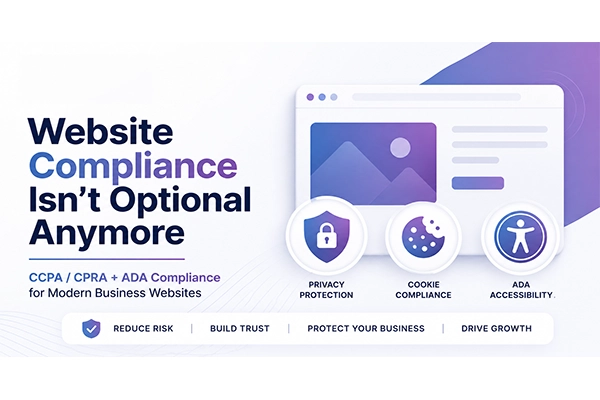
Website Compliance Is No Longer Optional!
What Business Owners Need to Know About CCPA, CPRA, and ADA Compliance
Most business owners don’t wake up excited to talk about website compliance.
Fair enough.
Privacy policies, cookie consent, accessibility standards, opt-out links, data requests, screen readers, legal exposure — none of that sounds as fun as launching a new campaign, improving conversion rates, or watching leads come in.
But here’s the reality: your website is no longer just a marketing asset. It is also a compliance touchpoint. If your website collects leads, tracks visitors, runs ads, uses analytics, has forms, uses cookies, serves California residents, or is accessed by people with disabilities, compliance matters. And ignoring it can get expensive fast.
The good news?
Website compliance doesn’t have to be overwhelming, wildly expensive, or paralyzing. With the right systems in place, most businesses can take practical steps to reduce risk, improve user trust, and avoid becoming the next easy target for legal complaints.
We help businesses move quickly toward smarter, more responsible website compliance using affordable tools, proven implementation processes, and practical guidance that fits the way real businesses operate.
This blog breaks down what business owners & marketing teams need to understand about CCPA, CPRA, and ADA website compliance — and why now is the time to stop treating it like a “we’ll get to it later” issue.
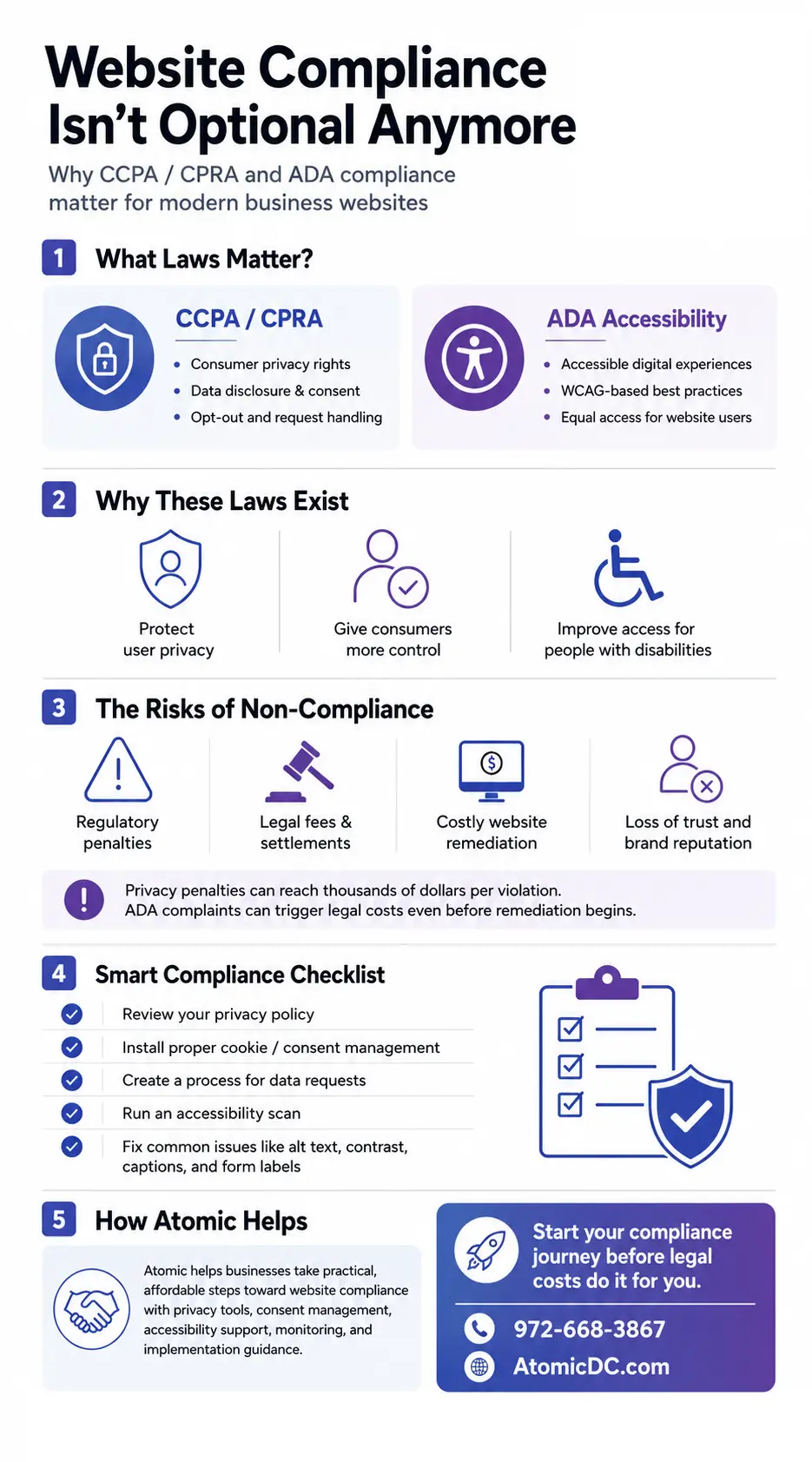
TL;DR: What You Need to Know
If you only read one section, make it this one.
- Website compliance is now a serious business risk, not just a technical detail.
- California privacy laws, including the CCPA and CPRA, create requirements around how businesses collect, disclose, use, share, sell, and manage consumer personal information.
- ADA-related website accessibility risk continues to grow as more lawsuits and demand letters target businesses whose websites are difficult or impossible for people with disabilities to use.
- Non-compliance can lead to regulatory penalties, lawsuits, settlements, legal fees, remediation costs, lost trust, and damaged brand reputation.
- CCPA/CPRA penalties can be assessed per violation, which means small website issues can become large financial problems when multiplied across many users.
- ADA website complaints can create legal expenses even before a business begins fixing the website.
- Compliance tools can help manage privacy policies, cookie consent, opt-out rights, data request workflows, accessibility improvements, scans, overlays, monitoring, and remediation.
- Automated tools are helpful, but they are not magic wands. Proper setup, periodic review, and human oversight still matter.
- The best time to address compliance is before a demand letter, complaint, or attorney email lands in your inbox.
In plain English: compliance is cheaper before there is a problem.
Why Website Compliance Matters More Than Ever
For years, many businesses treated website compliance as something only large corporations, healthcare companies, financial institutions, or national ecommerce brands needed to worry about.
That thinking is outdated.
Modern websites collect and process more information than many business owners realize. Even a simple lead generation website may use contact forms, analytics scripts, tracking pixels, remarketing tags, chat widgets, embedded videos, call tracking, scheduling tools, CRM integrations, payment forms, email marketing connections, and third-party plugins.
Each of those tools may collect, store, process, share, or transmit user data.
That matters.
Consumers are more aware of privacy rights. Regulators are more active. Plaintiff attorneys are more aggressive. Accessibility advocates are more vocal. And websites are now a primary gateway to almost every business.
Your website may be the first sales conversation a prospect has with your brand. It may also be the first place your compliance weaknesses are visible.
That is not meant to scare you. It is meant to get your attention.
Compliance should not be viewed as a legal nuisance. It should be viewed as part of building a professional, trustworthy digital presence.
A compliant website tells users:
- We respect your privacy.
- We take your rights seriously.
- We care about accessibility.
- We are not asleep at the wheel.
- We operate like a grown-up business.
That last one matters more than many companies realize.
If you are trying to attract better clients, larger accounts, enterprise buyers, healthcare partners, financial partners, government contracts, insurance relationships, or sophisticated decision-makers, compliance is part of the trust equation.
A website that ignores privacy and accessibility does not look lean. It looks risky.
What Laws Are in Place?
Website compliance can involve multiple laws and regulations depending on your industry, location, audience, data practices, and business model. For many U.S. businesses, two major areas deserve immediate attention: California privacy laws and ADA accessibility compliance.
CCPA: California Consumer Privacy Act
The California Consumer Privacy Act, commonly known as the CCPA, gives California residents specific rights over their personal information.
The law applies to certain for-profit businesses that collect personal information from California residents and meet specific thresholds. Businesses may fall under the law based on revenue, volume of consumer data collected, or revenue derived from selling or sharing personal information.
Even if your company is not physically located in California, the law may still matter if you collect information from California residents and meet the applicable requirements.
That is where many businesses get caught off guard.
A Texas company, for example, may think California privacy law has nothing to do with them. But if the website attracts California visitors, collects lead information, uses tracking technologies, or runs national campaigns, the issue deserves a closer look.
The CCPA gives consumers rights that may include:
- The right to know what personal information is collected.
- The right to know how that information is used.
- The right to know whether information is sold or shared.
- The right to request deletion of personal information.
- The right to correct inaccurate personal information.
- The right to opt out of certain selling or sharing of personal information.
- The right to limit use and disclosure of sensitive personal information in certain circumstances.
- The right to non-discrimination for exercising privacy rights.
For websites, this often means businesses need clear privacy disclosures, cookie and tracking transparency, proper opt-out mechanisms, links such as “Do Not Sell or Share My Personal Information” when applicable, and a process for responding to consumer privacy requests.
CPRA: California Privacy Rights Act
The California Privacy Rights Act, or CPRA, amended and expanded the CCPA.
Think of CPRA as the stronger, sharper version of California’s privacy framework.
The CPRA created the California Privacy Protection Agency, added new rights for consumers, expanded rules around sensitive personal information, strengthened enforcement, and increased expectations for businesses that collect and use consumer data.
For marketing teams, one of the biggest practical issues is how privacy laws interact with digital advertising.
Many businesses use tools like Google Analytics, Meta Pixel, LinkedIn Insight Tag, remarketing scripts, call tracking, heatmapping software, embedded forms, chat widgets, CRM tracking, and email automation tools. These tools can create privacy obligations depending on how data is collected, shared, used, and disclosed.
That means privacy compliance is not just something buried in a legal document.
It touches your marketing stack.
It touches analytics.
It touches ad performance.
It touches lead generation.
It touches CRM data.
It touches the way your website asks for consent, displays notices, honors opt-outs, and explains data practices.
If you are running modern marketing, privacy compliance is part of the operating system.
ADA Website Accessibility
The Americans with Disabilities Act, known as the ADA, protects people with disabilities from discrimination in many areas of public life.
While the ADA was originally enacted long before websites became central to business, website accessibility has become a major compliance issue. The basic concept is simple: people with disabilities should be able to access and use digital experiences, including websites and mobile content.
For websites, accessibility often involves making sure users can navigate, understand, and interact with content regardless of disability or assistive technology.
Common website accessibility issues include:
- Images without meaningful alternative text.
- Forms that are difficult for screen readers to understand.
- Poor color contrast.
- Buttons or links without clear labels.
- Navigation that cannot be used with a keyboard.
- Videos without captions.
- Popups that trap keyboard users.
- Missing page structure and headings.
- PDFs that are not accessible.
- Error messages that are not properly announced.
- Small text or interface elements that are difficult to use.
- Interactive elements that do not work with assistive technology.
The Web Content Accessibility Guidelines, commonly called WCAG, are widely used as the technical benchmark for making websites more accessible. WCAG standards help define practical accessibility expectations, including requirements around perceivable, operable, understandable, and robust digital content.
For many businesses, ADA website compliance is less about one perfect legal checkbox and more about reducing barriers, improving usability, documenting effort, and creating a more accessible experience.
Translation: your website should not slam the digital door in someone’s face just because they use a screen reader, keyboard navigation, captions, or other assistive technology.
Why These Laws Exist
Compliance laws can feel annoying when you are trying to run a business. But the purpose behind them is not random bureaucracy. These laws exist because consumers deserve transparency, control, access, and fairness and these regulations obviously spur website owners to provide those elements.
Privacy Laws Protect Consumer Control
Modern websites collect an enormous amount of information.
Some of it is obvious, like a name, email address, phone number, or form submission. Some of it is less obvious, like IP addresses, device identifiers, browsing behavior, ad interactions, location signals, page visits, cookies, tracking pixels, and cross-site activity.
Consumers often do not know how much data is being collected or where it goes.
Privacy laws exist to give consumers more visibility and control. They help answer questions like:
- What information are you collecting about me?
- Why are you collecting it?
- Who are you sharing it with?
- Can I opt out?
- Can I ask you to delete it?
- Can I correct it?
- Can I limit how sensitive information is used?
For businesses, this forces better data discipline.
That is not a bad thing.
When a company understands what data it collects, why it collects it, where it goes, who has access, and how long it is retained, the business becomes more mature. It also becomes better prepared for security questions, vendor reviews, enterprise partnerships, acquisition due diligence, insurance applications, and regulatory scrutiny.
Good privacy practices are not just about avoiding penalties. They are about running a cleaner business.
Accessibility Laws Protect Equal Access
Website accessibility laws and standards exist because digital access is now part of everyday life.
People use websites to book appointments, buy products, request quotes, read menus, apply for jobs, pay bills, find healthcare information, contact service providers, register for events, manage accounts, and make purchasing decisions.
If a website is not accessible, people with disabilities may be excluded from basic interactions with a business.
That is not just a technical problem. It is a customer experience problem. It is a brand problem. And in many cases, it is a legal risk.
Accessibility also benefits more users than many business owners realize.
Captions help people who are deaf or hard of hearing, but they also help users watching a video in a noisy room. Strong contrast helps users with low vision, but it also helps someone looking at a phone outside in bright sunlight. Clear form labels help screen reader users, but they also improve conversion rates for everyone. Keyboard-friendly navigation helps people with motor disabilities, but it can also improve usability for power users.
Accessibility is not charity. It is better UX.
And better UX tends to help business performance.
The Business Benefits of Website Compliance
Compliance is often framed as risk avoidance, and that is fair. Avoiding lawsuits and penalties is a pretty solid business strategy. Revolutionary stuff.
But compliance can also create positive business value.
1. Stronger Trust
Consumers are more cautious about how businesses use their data. A clear privacy policy, cookie notice, opt-out process, and accessible website experience signal professionalism.
People may not read every word of your privacy policy, but they notice when your website feels sketchy.
Trust is a conversion factor.
2. Better User Experience
Accessibility improvements often make websites easier for everyone to use. Better headings, clearer buttons, cleaner forms, proper labels, improved contrast, and more predictable navigation can reduce friction. Less friction usually means better engagement and better conversion rates.
3. Better Marketing Operations
Privacy compliance forces businesses to understand their tracking stack. That means knowing what scripts are installed, what tools collect data, and which vendors receive user information.
That can expose old tags, duplicate scripts, outdated plugins, abandoned tools, and sloppy integrations.
In other words, compliance cleanup can also become marketing cleanup.
4. Reduced Legal Exposure
No solution can promise total immunity from legal action, but a proactive compliance program can reduce obvious risk, demonstrate good-faith effort, and help businesses respond more effectively if questions arise. Doing nothing is not a strategy. It is just hope wearing a cheap suit.
5. Better Readiness for Growth
As companies grow, compliance expectations increase. Larger clients, investors, strategic partners, franchisors, healthcare organizations, financial institutions, and acquisition teams may ask more detailed questions about privacy, accessibility, security, and vendor management.
If your company wants to play at a higher level, your website and digital systems need to look like they belong there.
Costs and Dangers of Not Being Compliant
This is where the issue gets very real.
Non-compliance can cost far more than the price of putting reasonable systems in place early.
CCPA and CPRA Penalties
California privacy law penalties can be assessed per violation. That is the part business owners need to pay attention to.
A small compliance issue affecting many users can multiply quickly.
California has adjusted monetary thresholds, and current administrative fines and civil penalties can reach thousands of dollars per violation, with higher amounts for intentional violations and violations involving the personal information of consumers under 16.
That means businesses should not casually assume privacy compliance is a low-stakes issue.
The financial risk may include:
- Regulatory fines.
- Civil penalties.
- Legal defense fees.
- Settlement costs.
- Data request response costs.
- Required compliance program changes.
- Vendor review and remediation costs.
- Disruption to marketing operations.
- Damage to brand trust.
Even if a business avoids a major fine, the process of responding to a regulatory inquiry can become expensive, distracting, and stressful.
And if your tracking, privacy policy, opt-out mechanism, or cookie practices are not aligned, the issue may not be hard for someone to spot.
Private Claims and Data Breach Exposure
The CCPA also includes a private right of action in certain data breach situations involving personal information. Statutory damages can be significant when multiplied across affected consumers.
That matters because website compliance is connected to broader data responsibility.
If your business collects personal information through the website, you need to think beyond the form submission. Where does the data go? Is it stored in a CRM? Is it emailed? Is it shared with vendors? Are plugins secure? Are old admin accounts still active? Are tools properly configured?
Privacy compliance and data security are different, but they live in the same neighborhood.
And it is not a neighborhood where you want to leave the doors unlocked.
ADA Website Lawsuits and Demand Letters
ADA website accessibility lawsuits and demand letters have become a major issue for businesses across industries.
Retailers, restaurants, healthcare providers, professional services firms, ecommerce brands, hospitality companies, financial companies, and local businesses have all faced accessibility claims.
The cost of an ADA-related website issue can include:
- Attorney fees.
- Settlement payments.
- Accessibility audit costs.
- Website remediation costs.
- Ongoing monitoring.
- Staff time.
- Development work.
- Lost momentum on other marketing priorities.
Many ADA website matters settle before trial, but that does not make them cheap. Even a “quick settlement” can cost thousands or tens of thousands of dollars by the time legal fees, remediation, and internal disruption are included.
For smaller and mid-sized businesses, that can be painful.
For larger businesses, the financial cost may be manageable, but the brand risk and operational disruption still matter.
The Hidden Cost: Distraction
Legal issues do not just cost money. They cost focus.
When a compliance complaint lands, your team has to stop what it is doing and deal with it. Leadership gets involved. Marketing gets pulled in. Developers get pulled in. Legal counsel gets involved. Vendors get questioned. Meetings multiply.
Suddenly, instead of improving campaigns, building landing pages, or generating leads, your team is digging through privacy language, accessibility reports, tracking scripts, and attorney emails.
That is not exactly the growth engine you had in mind.
The Hidden Cost: Lost Trust
Compliance failures can also damage trust with prospects, customers, partners, and employees.
A website that ignores accessibility may send the message that not all customers matter. A privacy experience that lacks transparency may make users question how the business handles their information. A poorly managed opt-out process may make a brand look careless.
Trust is hard to build and easy to lose.
Your website should be helping you earn confidence, not quietly undermining it.
Common Website Compliance Gaps We See
Most businesses are not intentionally ignoring compliance. They simply do not realize how many small website decisions create risk.
Common issues include:
- No privacy policy.
- Outdated privacy policy.
- Privacy policy that does not reflect actual tracking tools.
- Cookie banner that does not actually manage consent.
- No process for consumer data requests.
- No clear opt-out mechanism where required.
- Tracking pixels firing before user consent is handled properly.
- Old third-party scripts still installed.
- Forms collecting data without proper disclosures.
- No accessibility widget or accessibility statement.
- Poor color contrast.
- Missing alt text.
- Inaccessible PDFs.
- Forms without labels.
- Popups that create accessibility barriers.
- Videos without captions.
- Navigation that does not work properly with keyboard-only use.
- No ongoing monitoring after launch.
- Assuming a website redesign automatically made the site compliant.
That last one is a big one.
A beautiful website can still be a compliance mess.
Design awards do not impress screen readers. And regulators do not care that your homepage has tasteful animations.
Compliance Is Not One-and-Done
One of the biggest mistakes businesses make is treating compliance as a one-time project.
Compliance is not something you check once and forget forever.
Websites change. Laws change. Plugins change. Tracking tools change. Forms change. Marketing campaigns change. Vendors change. Pages get added. Landing pages get launched. New pixels get installed. PDFs get uploaded. Videos get embedded. CRM forms get swapped. Chat tools get added.
Every change can affect privacy and accessibility.
That does not mean you need to panic every time someone updates a blog post. It does mean compliance should be part of your website maintenance and marketing operations.
A practical compliance program may include:
- Privacy policy updates.
- Cookie consent management.
- Tracking script review.
- Data request workflow setup.
- Accessibility scans.
- Accessibility remediation.
- Accessibility statements.
- Plugin and vendor review.
- Ongoing monitoring.
- Periodic audits.
- Documentation of good-faith efforts.
The goal is not perfection. The goal is responsible, documented, ongoing improvement.
How Compliance Tools Can Help
The right tools can make website compliance significantly easier and more affordable.
For privacy compliance, modern platforms can help generate and manage privacy policies, cookie policies, consent banners, opt-out links, and consumer request workflows. These systems can also help monitor website cookies and tracking technologies so your disclosures better reflect what your website is actually doing.
For accessibility, modern solutions can help identify issues, improve usability, support visitors with disabilities, provide accessibility interface options, monitor site changes, and help guide remediation.
These tools can provide benefits such as:
- Faster implementation.
- Lower upfront cost.
- More consistent policy management.
- Cookie scanning and consent support.
- Consumer request intake workflows.
- Accessibility interface tools.
- Automated scans.
- Ongoing monitoring.
- Easier updates as laws and standards evolve.
- Better documentation of compliance efforts.
That said, no tool should be treated as a “set it and forget it” legal force field.
Automated compliance tools are helpful. They are not magical cloaks of invisibility from attorneys.
The best approach combines technology, proper configuration, website best practices, human oversight, and periodic review.
What Business Owners Should Do Now
If your business has not reviewed website compliance recently, here is a practical starting point.
1. Review Your Privacy Policy
Your privacy policy should reflect what your business actually does.
If your website uses analytics, ads, remarketing, CRM tools, email marketing, chat tools, scheduling platforms, payment processing, or embedded third-party content, your policy needs to account for those practices. A generic privacy policy copied from another website is not a strategy. It is a liability with formatting.
2. Identify Your Tracking Tools
Know what is installed on your website.
This may include Google Analytics, Google Tag Manager, Meta Pixel, LinkedIn Insight Tag, TikTok Pixel, call tracking, heatmapping tools, chat widgets, CRM scripts, embedded forms, advertising platforms, and plugins. If your marketing team cannot clearly explain what data is being collected and where it goes, that is a gap.
3. Implement Cookie and Consent Management
Depending on your business and audience, your website may need cookie notices, opt-out options, consent controls, and links that support consumer privacy rights. The key is not just having a banner. The key is having a banner and consent setup that actually does something useful. A cookie popup that merely says “we use cookies” while every tracking script fires anyway may not be enough.
4. Create a Data Request Process
If a consumer submits a privacy request, your business should know what happens next.
Who receives it? Who verifies it? Who responds? What systems are searched? What is the timeline? Where is the request documented?
If the answer is “I think it goes to someone in marketing,” you have some work to do.
5. Run an Accessibility Review
Start with an accessibility scan and manual review of key pages.
Important pages include:
- Homepage.
- Contact page.
- Service pages.
- Product pages.
- Location pages.
- Forms.
- Checkout pages.
- Booking pages.
- Landing pages.
- Job application pages.
- PDFs or downloadable resources.
Focus first on the pages that drive revenue, leads, customer service, and user action.
6. Fix the Obvious Issues
Many accessibility improvements are straightforward and valuable:
- Add meaningful alt text.
- Improve color contrast.
- Add labels to forms.
- Make buttons descriptive.
- Ensure keyboard navigation works.
- Caption videos.
- Structure headings properly.
- Fix broken or confusing links.
- Avoid inaccessible popups.
- Make PDFs accessible or provide HTML alternatives.
You do not have to solve everything in one day. But ignoring obvious issues is asking for trouble.
7. Add Monitoring and Maintenance
Compliance should become part of your website operations.
When new pages launch, check them. When new forms are added, review them. When new tracking tools are installed, update disclosures. When new PDFs are uploaded, consider accessibility. When new campaigns launch, think about privacy and consent.
This is where having a digital agency partner helps.
Compliance is easier when someone is paying attention.
How we can help you Start Your Compliance Journey
Atomic Design helps businesses take practical, affordable steps toward website compliance without turning the process into a six-month legal swamp.
We are not a law firm, and we do not provide legal advice. What we do provide is website strategy, implementation, technical setup, marketing systems support, and compliance-focused website improvements that help businesses reduce risk and operate more professionally online.
For California privacy compliance, we can help implement and configure tools that support:
- Privacy policy management.
- Cookie policy management.
- Cookie consent banners.
- Tracking technology scans.
- Opt-out links and notices.
- Data request intake workflows.
- Consent management.
- Ongoing updates and monitoring.
For ADA accessibility support, we can help with solutions that may include:
- Accessibility scanning.
- Accessibility interface tools.
- Website remediation recommendations.
- Improved alt text.
- Color contrast adjustments.
- Form label improvements.
- Keyboard navigation review.
- Accessibility statements.
- Plugin or platform implementation.
- Ongoing monitoring and support.
Different businesses have different needs. A local service business, ecommerce brand, healthcare provider, restaurant group, law firm, or multi-location company may each need a different level of support.
That is why Atomic does not believe in one-size-fits-all compliance theater.
We look at the website, the business model, the marketing stack, the risk level, and the practical path forward.
Then we help you move.
Affordable Compliance Is Better Than Expensive Panic
Here is the blunt truth: most businesses do not take compliance seriously until something scary happens.
- A demand letter arrives.
- A privacy complaint comes in.
- A customer asks about their data rights.
- A prospect asks for compliance documentation.
- An attorney sends an email.
- A partner asks whether your website meets accessibility standards.
- A leadership team suddenly wants answers.
At that point, everything costs more.
Legal fees cost more than planning. Emergency remediation costs more than scheduled maintenance. Rushed decisions cost more than thoughtful implementation. And stress, as it turns out, is a terrible project manager.
Taking action early is simply better business.
It allows you to:
- Reduce risk before it escalates.
- Improve user experience.
- Build consumer trust.
- Support stronger marketing operations.
- Avoid scrambling under pressure.
- Show good-faith effort.
- Protect the brand you are working hard to grow.
Compliance does not have to be dramatic. It just has to be taken seriously.
Final Thought: Your Website Should Grow Your Business, Not Expose It
Your website should help generate leads, build credibility, support customers, and move your business forward.
It should not quietly create legal exposure.
CCPA, CPRA, and ADA compliance are not fringe issues anymore. They are part of operating a modern website. And for businesses that use digital marketing to drive growth, compliance should be part of the strategy — not an afterthought.
The best path is not panic. It is progress.
Start with the basics. Put the right tools in place. Fix the obvious gaps. Create a process. Monitor over time. Work with a partner who understands both marketing performance and the operational realities of running a business.
Atomic Design can help you quickly begin that journey.
If you are unsure whether your website is exposed, now is the time to find out — before a regulator, attorney, or frustrated user finds the issue for you.
Contact Atomic Design today to start building a smarter, safer, more compliant website.
Call 972-668-3867 or visit AtomicDC.com to get started.
Need Specific Help?
Interested in a specific topic? Review the topics below to get the info, news, and tips you need!